Motion Control AI: The Ultimate AI Motion Transfer Video Generator
Transform static images into lifelike animations in seconds. Powered by Kling AI, PixExact AI motion transfer maps exact movements from your character image and a reference video to generate a flawless AI motion control video.
What is Motion Control AI?
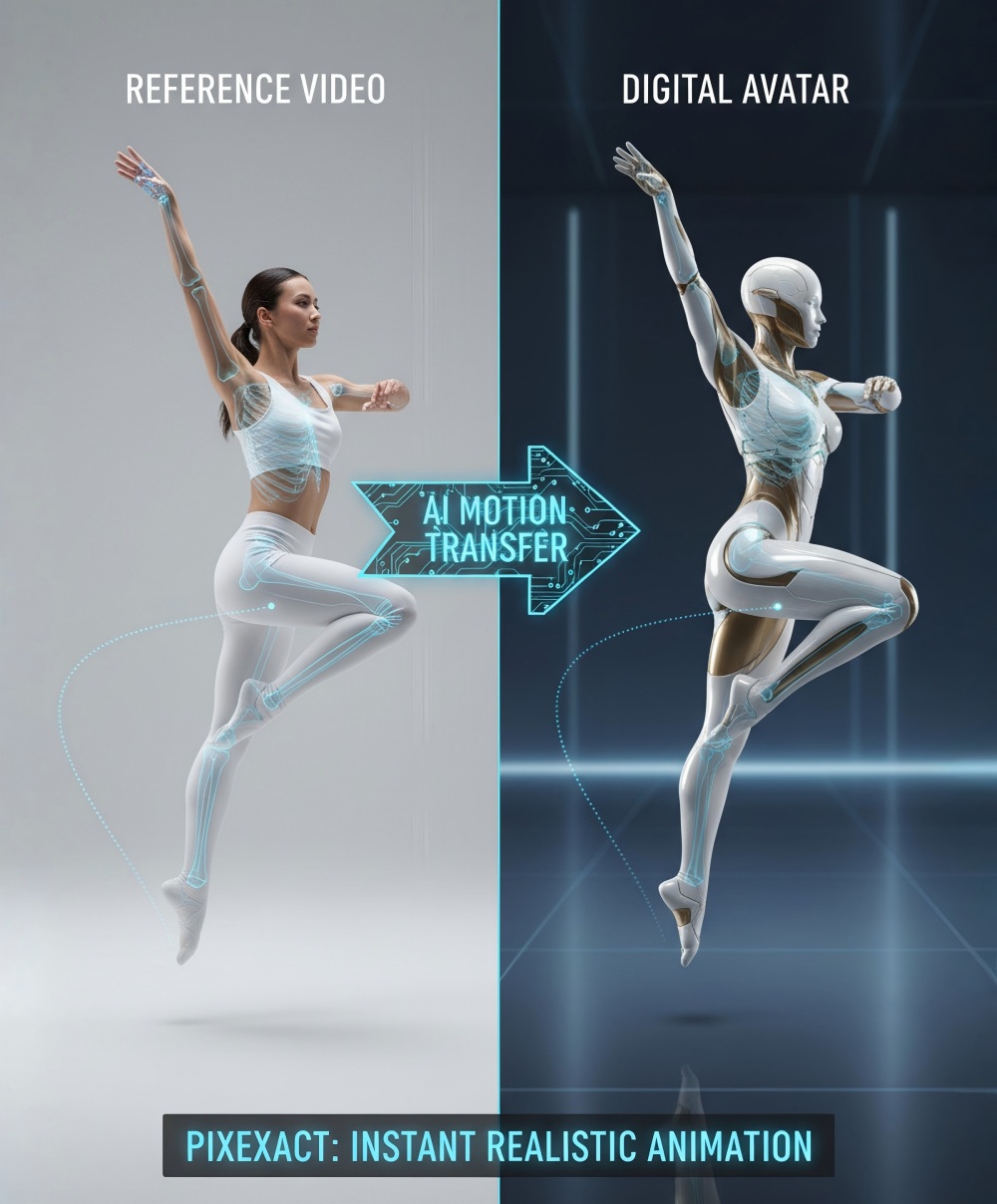
Motion control AI replaces expensive motion capture and complex motion tracking. Now, motion control makes achieving realistic motion instant. When you use motion control on Pixexact, our AI performs clean motion extraction, precisely analyzing the body movement, gesture, and motion path from your uploaded video.
This motion from reference video is then seamlessly applied to your character identity. The motion is transferred flawlessly, keeping the motion path and pacing intact so your new AI video perfectly matches the original choreography. Ultimately, motion control allows anyone to bypass traditional animation, it's the perfect tool that transfers real-world action, enabling precise control over your digital avatar (computing).
Why Choose PixExact for Your AI Motion Transfer?
Powered by Advanced Kling 3.0
Powered by Advanced Kling 3.0
Compared to Kling 2.6, our integrated Kling 3.0 motion control delivers unmatched precision for your digital creations.
Pinpoint Frame-Accurate Motion
Kling AI motion control expertly captures high-difficulty body motion and dynamic sequences from your motion reference video, guaranteeing frame-accurate motion every single time.
Master Any Complex Motion
On PixExact, enjoy superior motion accuracy for intense body motion and dynamic performances in every motion video.
Complete Creative Freedom
PixExact does more than just transfer motion. While the motion from reference drives action, use custom text prompts to add dynamic visual effects.
How to Use Motion Control AI on Pixexact
Upload Reference Image & Video
Upload the reference image of the character you want to transfer motion onto. Upload a video featuring the motion you want to transfer.
Add Text Prompts (Optional)
Enter a text prompt! While the motion control AI handles the physical animation, your prompt instructs the AI to alter the environment, or add dynamic effects.
Generate & Download
The AI rapidly processes your character image and a motion reference. Once complete, simply download your final video.
Best Practices: Getting Videos with Precise Motion
To get the most out of this video generator, understanding how to pair videos and motion is key. Here are some tips for achieving exact motion and a consistent character:
Clear Motion Sequences
The AI excels when the reference motion is easy to see. Avoid reference videos with excessive motion blur, heavy shadows, or multiple people overlapping unless necessary.
Reuse One Motion
One of the best features of Pixexact is that you can reuse one motion across multiple characters. You only need one motion reference to create an entire roster of characters performing the same TikTok trend. You can apply the same video to different images effortlessly.
Match Proportions
For the accurate motion to look natural, try to use a character image that has roughly similar bodily proportions to the actor in the reference video.
Clean Motion Extraction
Background clutter in the reference video can sometimes confuse lower-tier AI models, but powered by Kling, our system isolates the subject with incredible precision. Still, for smooth motion, a clean, well-lit background in the source video yields flawless motion transfer results.
Transform Your Content Creation Workflow
Digital Creators & AI Influencers
Maintain your digital persona effortlessly. Simply upload an established AI image and a reference video of yourself talking or gesturing. Our free motion control AI (available via trial credits) instantly maps your expressions and actions directly onto your avatar.
Engaging Commercial Marketing
Boost your brand with dynamic ads and product presentations without hiring actors or renting studios. Motion control videos for marketing drive high engagement, allowing you to easily bring brand mascots or virtual models to life in seconds.
Animators & Choreographers
Visualize your next big project in real-time. Test out a new dance routine or intricate choreography by filming yourself and applying it to a stylized 3D avatar. Animate your characters instantly to bring your creative concepts to reality.
Frequently Asked Questions
What is the difference between Kling 3.0 Motion Control and Kling 2.6?
Kling 3.0 motion control is a massive leap in artificial intelligence. Compared to Kling 2.6, version 3.0 provides more precise motion, handles complex overlapping movements, and delivers higher resolution.
How long can the reference video be?
What is the supported video duration for Kling 3 Motion Control API? On PixExact, your reference videos can range from 3 to 30 seconds. This flexible duration is perfect for creating everything from quick social media clips to extended motion sequences.
Can I keep the original audio from my reference video?
Yes! One of the standout features of our platform is that you can retain the audio from your motion reference video. This is excellent for lip-syncing, dance trends, and acting scenes.
Do motion control videos have watermarks?
No! Whether you are just testing our free trial or using a premium plan, all your generated videos are completely watermark-free.
Can AI motion control video be used in commercial projects?
Absolutely. Can I use motion control videos commercially? Yes, as long as you have the rights to the reference image and the reference video you upload, the resulting AI generated video is yours to use for commercial marketing, social media, and advertising.
Do I need animation or video editing skills to use Kling Motion Control?
Not at all. What do I need to use motion control? Just an image and video. The platform is designed to be plug-and-play. You do not need to understand keyframing, rigging, or motion control photography.
What types of motion can AI motion control capture?
With Kling 3.0 motion control AI, You can capture almost any human motion. This includes walking, running, intricate choreography, sitting, facial expressions, and hand gestures. The AI seamlessly maps this video motion to your character.
Does Kling Motion Control work for lip sync and talking-head videos?
Yes. By uploading a clear reference video of a person speaking, the AI motion transfer will capture the lip movements, head tilts, and facial expressions, applying them to your character identity.
Don't have a reference video?
If you lack a motion reference, you can browse standard stock video libraries or use your smartphone camera to quickly record the motion you want. Since the AI extracts the action, you don't need professional lighting or a fancy studio, just a clear shot of the movement!
More Tools
Explore more AI-powered tools to supercharge your creative workflow.


Ready to Transfer Motion to Your Characters?
Upload a character image and reference video to animate your world! PixExact AI motion control handles video generation for your AI dance and motion control videos for marketing.